
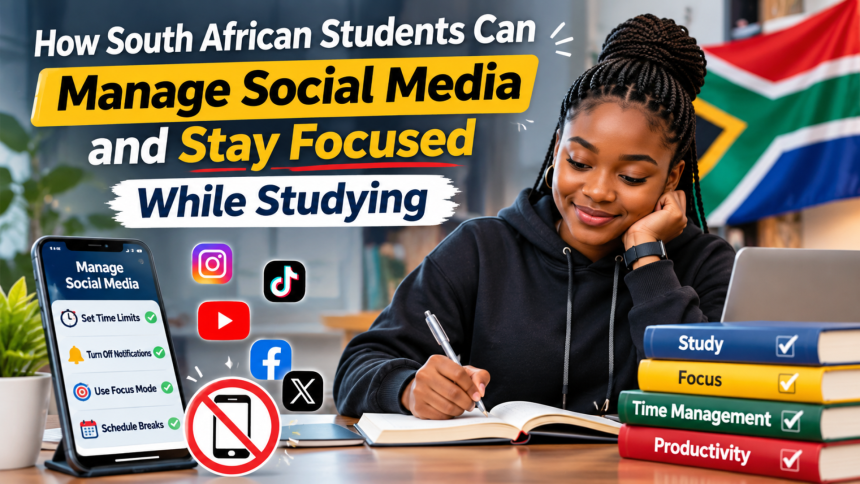
Social media is part of student life. It keeps you in touch with friends, helps you find study groups and gives you a break when your brain is tired. But it can also steal hours from your day without you noticing. One quick check of your phone can turn into an hour of scrolling, and by the time you look up, your study session is over. The problem is not social media itself. The problem is using it without a plan. This guide explains how South African students can manage social media, cut distractions and stay focused while studying, without giving up their phone completely.
Notice How Much Time You Really Spend
You cannot manage what you do not measure. Before you change anything, find out how much time you actually spend on social media. Most phones show a weekly report of screen time and the apps you use most. Look at it honestly. Many students are surprised to find that they spend several hours a day on apps they only meant to check for a few minutes. Write the number down. Once you know where your time goes, you can decide how much of it you are willing to give to social media and how much you want back for studying, sleep and real life.
Set Clear Rules for Study Time
Rules work better than willpower. Decide in advance when social media is allowed and when it is not. A simple rule is that your phone stays out of reach during study sessions, in another room or in your bag. Study in focused blocks, for example 50 minutes of work followed by a 10-minute break, and only check your phone during the break. Tell your friends when you are studying so they do not expect instant replies. If an app keeps pulling you back, log out of it during the week or delete it from your phone and use it only on your computer. Clear rules make focus easier, because you do not have to decide again every five minutes.

Turn Off Notifications
Notifications are designed to interrupt you. Every buzz, badge and pop-up pulls your attention away from your work, and it takes time to get your focus back. Turn off notifications for social media apps, or at least for the ones that distract you most. Keep only the notifications you truly need, such as messages from family or your study group. You can also use the focus or do-not-disturb mode on your phone during lectures and study sessions. Your messages will still be there when you finish. Nothing on social media is so urgent that it cannot wait until your study block is over.
Use Social Media With a Purpose


Social media is not only a distraction. Used well, it can help your studies. Join groups for your course, follow pages that share study tips or job opportunities, and connect with students who are learning the same things as you. When you open an app, ask yourself what you are there to do. If you have a purpose, such as checking a class group or messaging a study partner, do that and then close the app. If you have no purpose, you are probably just scrolling, and that is the moment to stop. You can also set a timer for social media, so the app reminds you when your time is up.
Take Regular Breaks Away From Screens
Your brain needs rest, but scrolling is not rest. It keeps your mind busy and your eyes tired. When you take a break from studying, step away from screens completely. Go for a walk, stretch, eat something, talk to a friend in person or just sit outside for a few minutes. Real breaks leave you refreshed and ready to study again. Screen breaks leave you more tired than before. Plan at least one longer break each day with no phone at all, such as during a meal or before bed. You will sleep better, feel calmer and find it easier to concentrate the next day.
Conclusion

Managing social media is not about giving up your phone. It is about using it on your terms. Know how much time you spend, set clear rules for study time, turn off notifications, use social media with a purpose and take real breaks away from screens. Small changes add up quickly, and you may be surprised how much extra time you find for your studies, your friends and yourself. Your attention is valuable. Spend it on what matters most.