
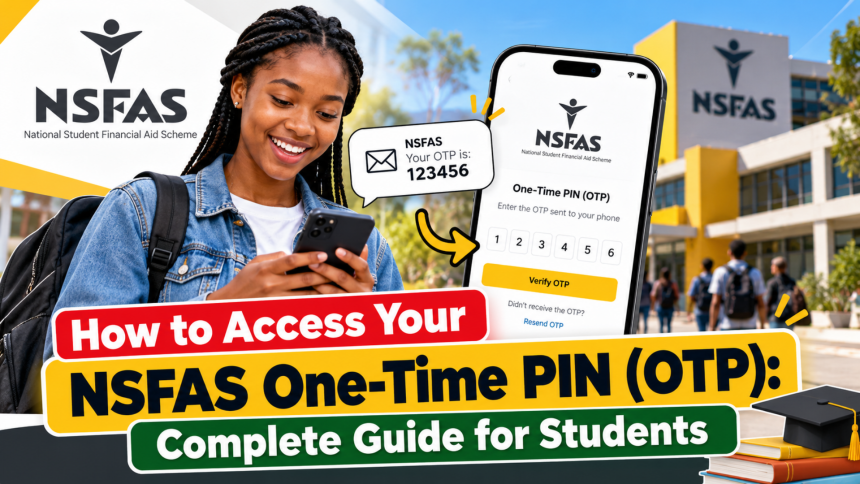
NSFAS One-Time PIN. The National Student Financial Aid Scheme (NSFAS) provides financial assistance to eligible students in South Africa who need support to pursue higher education. Students use the myNSFAS online platform to manage their accounts, access application information, and complete important account-related activities. During certain processes, NSFAS requires users to verify their identities by entering a One-Time PIN (OTP).
However, some students experience difficulties receiving their OTP, especially when their registered mobile number is incorrect, inactive, or no longer accessible. Understanding how the NSFAS OTP system works and knowing how to resolve common problems can help students regain access to their accounts without unnecessary delays.
In this guide, we explain what an NSFAS OTP is, how to receive it, what to do when it does not arrive, and how to update your contact details if you have changed your phone number.

What Is an NSFAS One-Time PIN (OTP)?
An NSFAS One-Time PIN is a temporary verification code sent to a registered contact method to confirm that a person attempting to access or update an account is authorised to do so.

The OTP is part of the security measures used during certain account activities. It helps protect students’ personal information and reduces the risk of unauthorised access.
Unlike a permanent password, an OTP is generally valid for a limited period or a single verification session. Once it expires or has been used, you may need to request another code.

Students should never share their OTP with strangers or anyone claiming to offer guaranteed NSFAS approval. Keeping verification codes private helps protect your account from potential fraud.
Why Do You Need an NSFAS OTP?
Students may be asked to enter an OTP when completing specific activities on the myNSFAS platform. These activities can include verifying their identities, updating personal information, or completing certain account security procedures.
The OTP helps NSFAS confirm that the person making the request has access to the registered phone number or email address, where supported by the verification process.
For this reason, it is important to keep your contact details accurate and up to date. If your registered number is outdated, receiving the code may become difficult.

How to Receive Your NSFAS OTP
If you are trying to access your myNSFAS account and need a verification code, follow these general steps:
- Visit the official NSFAS website at www.nsfas.org.za.
- Navigate to the myNSFAS account section.
- Enter your login credentials and follow the instructions displayed on the screen.
- If an OTP is requested, check the registered mobile number or email address shown by the system, if available.
- Wait for the verification code to arrive.
- Enter the code in the appropriate field before it expires.
- Follow any additional instructions to complete the verification process.
The exact steps may differ depending on the account activity and the current NSFAS website interface.
What to Do If You Cannot Receive Your NSFAS OTP
Sometimes, an OTP may not arrive immediately. This can happen because of network problems, delays in message delivery, incorrect contact details, or temporary technical issues.
NSFAS applicants experiencing this problem can try the following solutions.
1. Use the Resend OTP Option
If the verification code does not arrive, look for the Resend OTP option on the verification screen. Selecting this option may prompt the system to generate and send a new code to your registered contact method.
Wait briefly before requesting another code. Avoid repeatedly submitting requests within a short period, as this may cause confusion when several codes arrive together.
2. Check Your Mobile Network
Make sure your phone has a stable mobile signal and can receive text messages. If you are in an area with poor reception, move somewhere with better coverage and try again.
You should also check whether your phone has blocked messages from unknown senders or whether your messaging inbox is experiencing problems.
3. Verify Your Registered Contact Details
If you recently changed your phone number, the OTP may still be sent to the number associated with your NSFAS account.
In this situation, requesting another code may not solve the problem. You may need to update your contact details through the official NSFAS account process or contact NSFAS support for assistance.
How to Update Your Phone Number to Receive Your NSFAS OTP
If your old mobile number is no longer active, keeping your NSFAS contact information updated is essential. Follow these general steps if you can access your account and the current system allows you to update your details:
- Visit the official NSFAS website at www.nsfas.org.za.
- Open the myNSFAS account section.
- Enter your username and password to sign in.
- Navigate to the My Personal Details section, if this option is available.
- Enter your current mobile phone number and email address.
- Review the information carefully to ensure that it is correct.
- Select the option to update or save your details.
- Follow the verification instructions provided by NSFAS.
- If an OTP is sent to your new contact details, enter the code and submit it to complete the process.
Once the update has been successfully verified, your new contact information should be used according to the system’s confirmation. If you cannot access your account because the OTP is being sent to your old number, contact NSFAS through its official support channels instead of attempting to bypass verification.
Important Tips for Keeping Your NSFAS Account Secure
Students should take a few precautions when accessing their accounts:
- Never share your password or OTP with another person.
- Use the official NSFAS website instead of unfamiliar links.
- Keep your mobile number and email address updated.
- Avoid requesting multiple OTPs unnecessarily.
- Do not pay anyone who promises to recover your account or guarantee funding.
- Contact official NSFAS support if you suspect unauthorised account activity.
Conclusion
Accessing your NSFAS One-Time PIN is an important part of completing certain account verification activities. If your OTP does not arrive, start by checking your network connection and using the resend option. If you have changed your phone number, you may need to update your personal information or contact NSFAS support to restore access.
Always use the official NSFAS website and follow the instructions displayed on your account. Keeping your contact details accurate and protecting your verification codes can help you manage your student funding account more safely and conveniently.