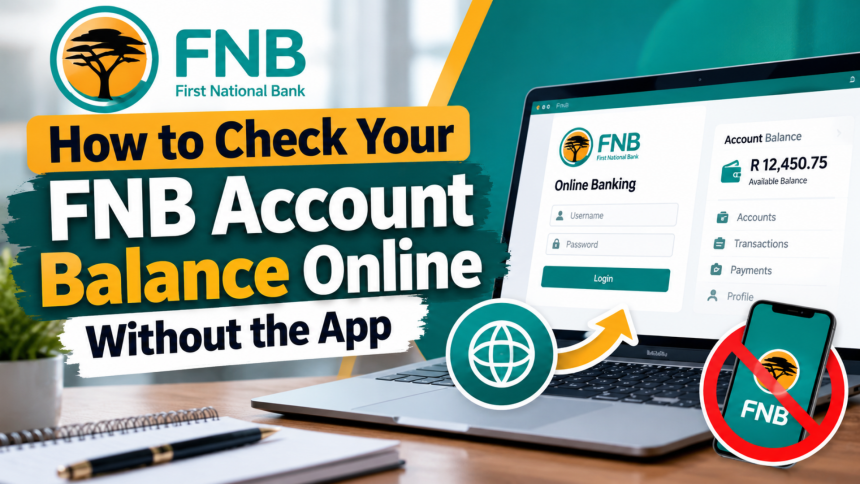
Checking your First National Bank (FNB) account balance online is a simple and convenient way to manage your money. Whether you want to check your available bank balance or see how much airtime, data, and SMS credit remains on your FNB Connect SIM card, FNB Online Banking provides an easy solution.
You do not always need to install the FNB mobile banking app to access your account information. By using the official FNB Online Banking platform, you can log in through a web browser and view your balances from your computer or smartphone.
In this guide, we explain how to check your FNB account balance online without using the mobile app, along with the benefits of online banking.
How to Check Your FNB Account Balance Online
FNB customers can use the online banking service to view their account balances and manage different banking activities. The process is straightforward and only requires your registered online banking login details.

Follow these steps to check your balance:
Step 1: Visit FNB Online Banking
Open your preferred web browser and visit the official FNB website at www.fnb.co.za. Navigate to the Online Banking section to access the login page.
Step 2: Log In to Your Account

Enter your registered username and password in the required fields. Make sure you are accessing the official FNB website before entering any personal or banking information.
Step 3: Select My Bank Accounts
After successfully logging in, locate and select the My Bank Accounts option from your online banking dashboard.
This section allows you to view the accounts linked to your FNB profile. You can check the available balances and review your banking information without visiting a branch.
Step 4: View Your Account Balances
Once you open the My Bank Accounts section, your linked accounts and their available balance information will appear on the screen.

Select an individual account if you want to review more details or check your recent transactions.
How to Check FNB Airtime, Data and SMS Balances
If you use an FNB Connect SIM card, you can also check your remaining airtime, mobile data, and SMS balances through online banking.
Here is how to do it:
- Log in to your FNB Online Banking account.
- Navigate to the My SIM Cards section.
- Select the option to view your registered SIM cards.
- Open the My SIM Cards landing page.
- Check the available airtime, data, and SMS balances displayed for your FNB Connect SIM card.
This feature is particularly useful for customers who want to monitor their mobile usage and keep track of their remaining network services.
Benefits of Using FNB Online Banking
FNB Online Banking offers several advantages to customers who want to manage their finances conveniently. Instead of visiting a physical bank branch for routine banking activities, you can access many services through the online platform.
Some important benefits include:
1. Convenient Banking Access
You can access your banking information from home, work, or while travelling, provided you have an internet connection and access to your account.
2. Check Account Balances and Transactions
Online banking allows you to view detailed account balances and transaction histories. This makes it easier to monitor your spending and keep track of incoming and outgoing payments.
3. Transfer Money Between Accounts
You can transfer funds between eligible FNB accounts without needing to visit a branch.
4. Make Online Payments
FNB customers can make payments through online banking, including once-off payments, depending on the available banking services.
5. Manage Payment Recipients
You can add new payment recipients, update existing details, or remove recipients you no longer need.
6. Send Money Through eWallet
FNB also provides access to its eWallet service, allowing eligible customers to send money conveniently to recipients.
7. Access International Payment Services
Customers can use available global payment services to send and receive international payments, subject to applicable requirements and fees.
8. Buy Foreign Currency
FNB online banking also provides foreign exchange services, including options to purchase foreign currency and arrange delivery where available.
Is It Possible to Check Your FNB Balance Without the Mobile App?
Yes. You can check your FNB account balance without downloading or installing the mobile banking application.
Simply access the official FNB website through a browser, log in to Online Banking, and select My Bank Accounts to view your balances.
If you use FNB Connect, you can also visit the My SIM Cards section to check your available airtime, data, and SMS balances.
Remember to protect your banking information by using a secure internet connection, keeping your password private, and never sharing your OTP or banking credentials with anyone.
Conclusion
Checking your FNB account balance online is a quick and convenient way to stay informed about your finances. With FNB Online Banking, you can view your bank account balances, monitor transactions, and check your FNB Connect airtime, data, and SMS balances without necessarily using the mobile app.
You can also access additional services, including money transfers, payments, eWallet, and international banking options.
To get started, visit the official FNB website and log in to your Online Banking account. Always use the official website to protect your personal and financial information.