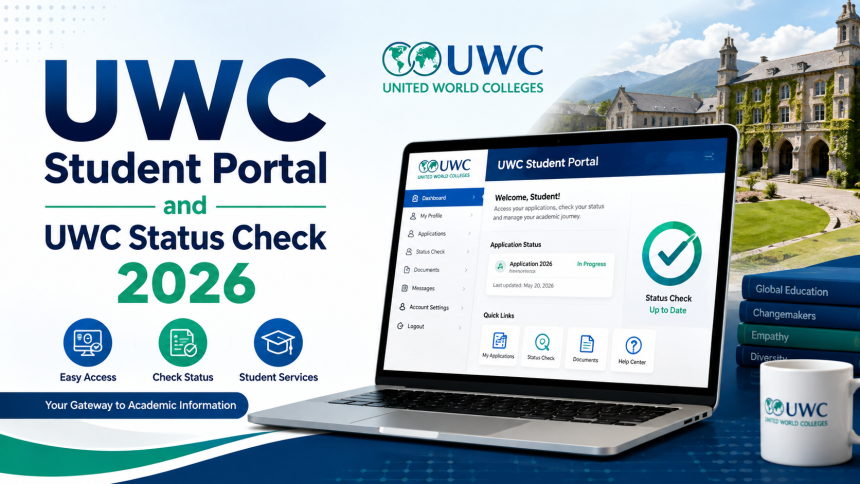
UWC Student Portal and UWC Status Check 2026. If you’re planning to apply at the University of the Western Cape (UWC) or you’re already a registered student, the UWC Student Portal is your go-to platform.
It offers access to critical academic services, including application status, registration, exam results, and more. This article is your complete walkthrough of the UWC Student Portal, including how to do a UWC status check, log in, and track your UWC online application in 2026.
What is the UWC Student Portal?
The UWC portal is an online platform designed to help both prospective and current students manage their academic affairs. From submitting your UWC login application to checking your exam timetable, this central hub makes the student experience more streamlined.

Students can use the UWC student portal to:
- Submit applications and documents
- Register for courses
- Access exam schedules and results
- Download academic records
- Check application and registration status
How to Access the UWC Student Portal Login

To use the portal, you must first complete your UWC login application. Once registered, you’ll receive a student number and password. Here’s how you can access the UWC student portal login status check:
- Go to the official UWC website: www.uwc.ac.za
- Click on the “Student Portal” tab
- Enter your Student Number and Password
- Click Login
Tip: If you’re using the portal for the first time, change your default password immediately for security.
How to Do a UWC Status Check 2026
If you’ve already applied for admission, the next crucial step is tracking your application. The UWC status check 2026 allows applicants to see whether their applications have been approved, pending, or unsuccessful.
Options for Checking UWC Application Status:
| Method | Details |
|---|---|
| UWC Status Check iEnabler | Log in to iEnabler with your credentials to view detailed application progress and academic info |
| UWC Status Check using ID number | Visit the UWC status page, enter your South African ID number or Passport number and check real-time updates |
| UWC Student Portal | Use your student number and password to log in and navigate to “Application Status” under the student profile |
UWC Status Check iEnabler

The iEnabler system is the university’s dedicated academic administration platform. Here’s how to check your UWC application status via iEnabler:
- Visit: https://student.uwc.ac.za
- Select “Student Enabler”
- Enter your Student Number and PIN
- Navigate to “Academic Admissions”
- Click on “Student Enquiry”
- Choose “Academic Admission Status” to view your progress
This process is ideal for a quick and efficient UWC status check in 2026.
UWC Status Check Using ID Number
If you’ve forgotten your student number or login details, you can perform the UWC status check using ID number. This feature is especially useful for applicants who have not yet been issued student credentials.
- Visit the UWC status tracking page
- Select the “Check Status via ID” option
- Enter your South African ID or passport number
- Click Submit
- Your application status will appear instantly
This is a simplified process, ideal for first-time users of the UWC portal

UWC Online Application Process
The UWC online application is the starting point for all new students. It’s an intuitive system that allows prospective students to apply for undergraduate and postgraduate programmes from anywhere.
- Go to https://www.uwc.ac.za
- Click on “Apply to UWC”
- Create a profile or use an existing one
- Fill in personal, academic, and programme-related details
- Upload certified copies of required documents
- Submit the application and note your reference number
Once submitted, you can perform a UWC status check 2026 using your reference or student number.
What You Need for Your Application
Before starting your UWC login application, make sure you have the following documents:
| Document | Requirement |
|---|---|
| Certified copy of ID or passport | Mandatory |
| Certified copy of latest school results | Required for undergrad programmes |
| Proof of residence or address | Recommended |
| Proof of payment (if application fee applies) | Check the UWC website |
| Academic transcripts (for postgrad only) | Mandatory |
Uploading accurate and clear copies speeds up your UWC status check approval.
Benefits of Using the UWC Portal
Whether you’re applying, registering, or checking results, the UWC student portal offers a comprehensive digital experience for all UWC learners.
Key Benefits Include:
- 24/7 access to academic records
- Quick UWC status check
- Secure login for personal information
- Easy communication with the university
- Real-time updates on registration and exams
Common Errors and How to Fix Them
While using the UWC portal, users may encounter common errors like incorrect login or missing information during the UWC status check 2026.
| Error | Solution |
|---|---|
| “Login Failed” | Double-check student number and password |
| “No Record Found” during ID check | Ensure your ID number was entered correctly and the application was submitted |
| Application stuck on pending | Contact admissions if the delay exceeds 4–6 weeks |
Contact UWC for Help
If you face issues with your UWC login application or portal, contact the university directly.
Contact Details:
- Email: [email protected]
- Phone: +27 21 959 3900 / 3901
- Website: www.uwc.ac.za
Conclusion
The UWC Student Portal is your essential tool for managing your university journey. From tracking your UWC online application to performing a UWC status check iEnabler, this platform keeps you informed and empowered. Whether you’re using the UWC portal for the first time or checking your UWC status using ID number, always ensure your documents are ready and follow each step carefully.